
01 ONBOARD COMPANY
See the fleet.
Plan the crew.
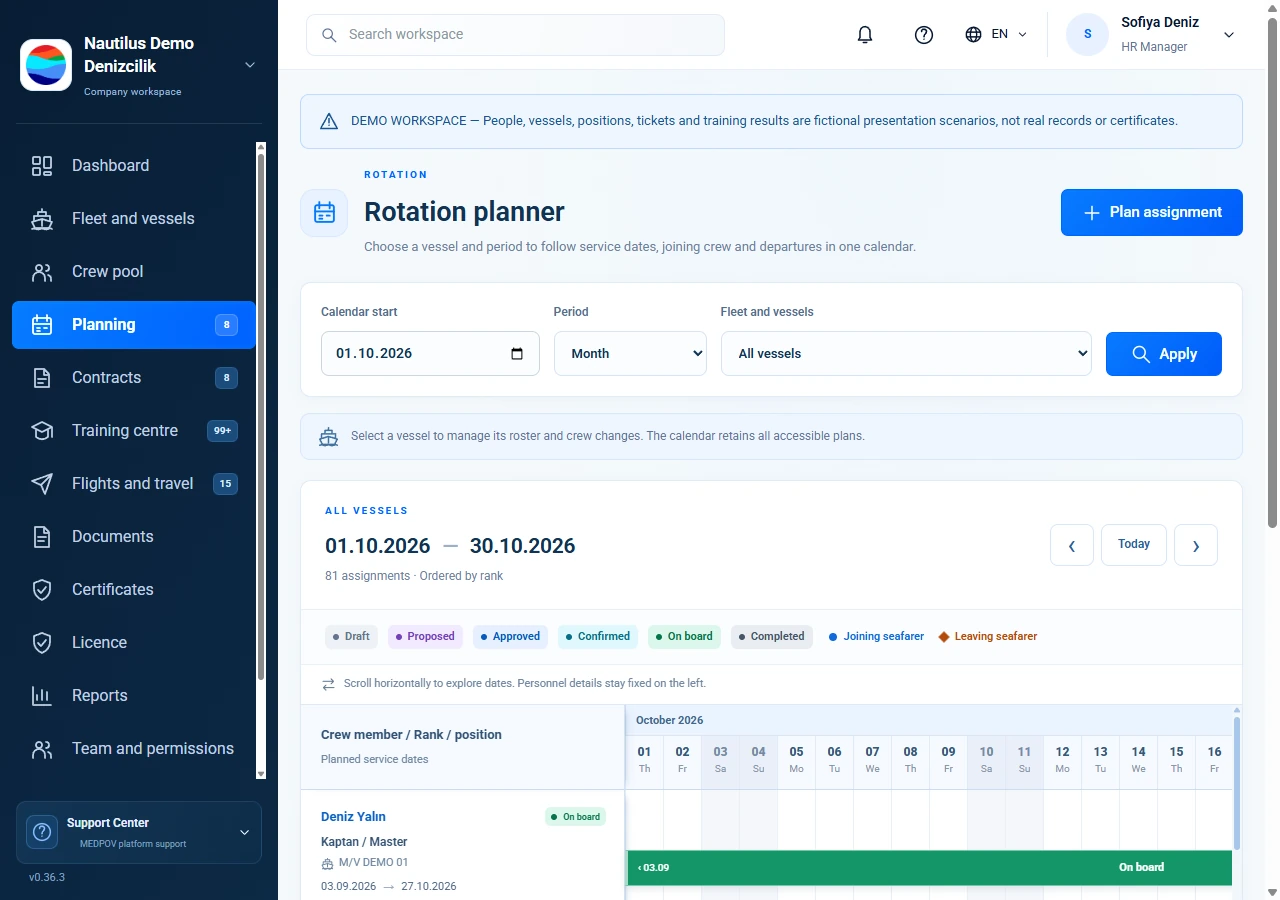
Vessels, assignments and crew changes in one view.
Connect joining and leaving dates, contracts, certificate dates, training and flights to the same crew record. The shore team manages the plan; each seafarer sees the information shared with them.
 Maritime connections around the world Drag horizontally or use the arrow keys to rotate. Use + and − to zoom; select a port or vessel to view its details.
Follow a crew assignment alongside its contract, travel, certificate dates and next rotation.
Follow the personnel pool, vessel roster and joining plan in one workflow.
Connect vessel profiles, rosters and assignments to the same vessel record.
Keep STCW, other official documents and company records in separate categories; track personal dates separately from reviewed evidence.
Plan incoming and outgoing crew by date and vessel using linked change records.
Link ticket files and entered flight details to the traveller; share published information in their portal.
Track assigned training, self-reported progress and authorized assessment as distinct steps.
HR and operations teams work on the same plan within their assigned responsibilities. Seafarers see the information shared with them in their own portal.
Company managers, department staff and seafarers work with connected records within their own access scope.
The HR Manager sets up shore staff accounts, roles and the vessels or modules each person can access.
The shore team connects contracts, crew changes, training and travel records, with separate review and publication steps.
Seafarers see their own assignments, documents, training and the travel details shared with them.
From shore operations to the crew on board — the information everyone needs, in one connected workspace.
Vessels, assignments and crew changes in one view.
Assignments, tickets and training in your pocket.
Company plansDetails confirmedSeafarer informed · Illustrative app previews
Tell us about your company and priorities. Request a presentation focused on your needs.

